Beginner Tutorials

Getting Started in LiveMath

An eleven-module video tutorial for beginners. Each module pairs a walkthrough video with a practice notebook you open in LiveMath, plus a short quiz to challenge yourself.

Browser configuration Trouble opening .the notebook files from the browser? Click for instructions.

To open a LiveMath notebook in LiveMath Maker follow these steps after you click a notebook hyperlink:

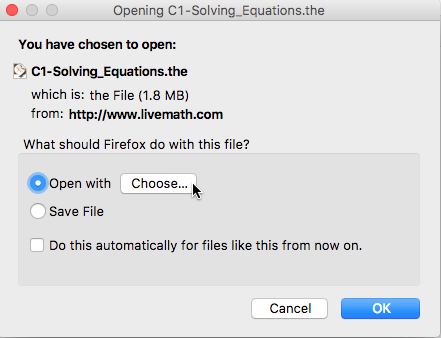
Browser config step 1

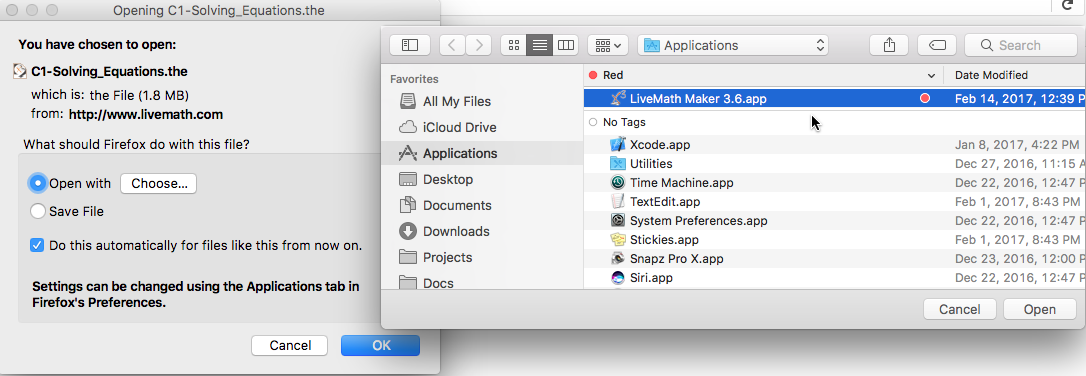
Click the Open With radio button, then click Choose. Navigate to your Applications folder and select LiveMath Maker (or LiveMath Viewer):

Browser config step 2

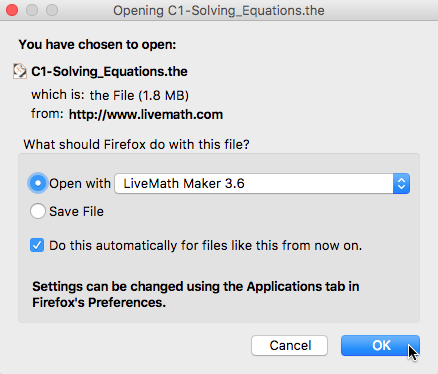
With the LiveMath application selected, click Open; you'll return to this screen:

Browser config step 3

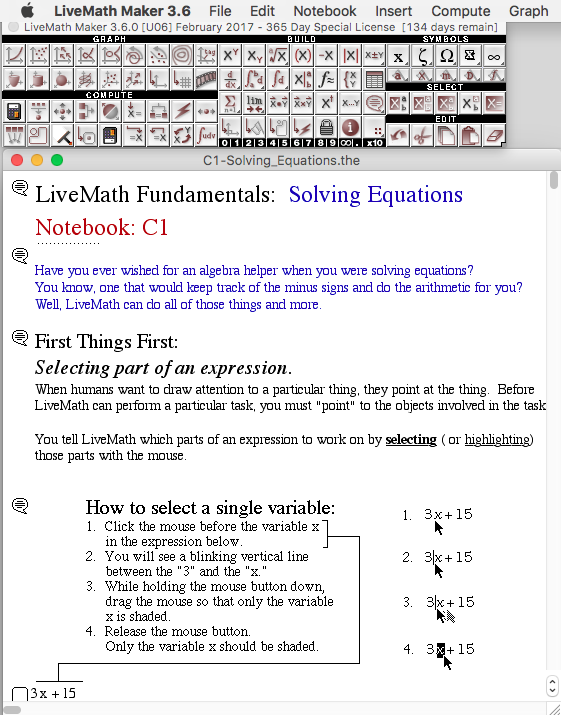
Click OK and LiveMath will launch the notebook the browser just downloaded:

Browser config step 4

Guided Beginner's Tutorial

Module C1: Solving Equations

11 modules

All Tutorials

Click any module to load it into the player above.